Image Nano Banana Pro
Cocoa Bean Life in Miniature
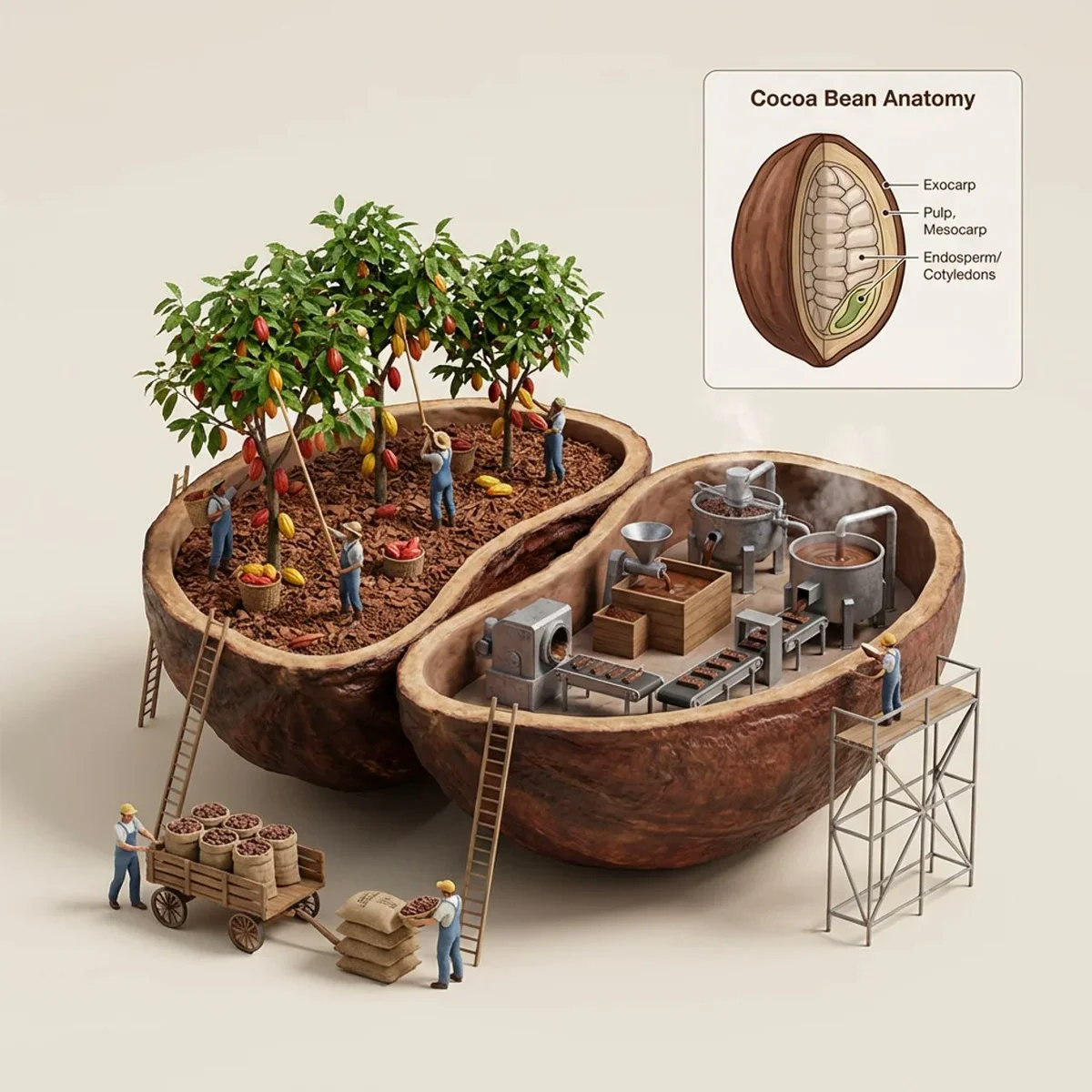
A giant cocoa bean split open reveals twin dioramas: lush plantations on one side, tiny industrial machines on the other, with floating anatomy callouts above.
Prompt
do this for a cocoa bean
<instruction>
  1.    Inference Engine
Input A is a Raw Material, Ingredient, or Natural Resource (e.g., A Coffee Bean, An Acorn, A Cocoa Bean, A Diamond).
Deconstruct the subject into its   Production Lifecycle  :
     The Left Hemisphere (Agriculture/Extraction):  The origin stage.
         (e.g., Coffee -> Farm rows and trees. Diamond -> Deep mine shaft).
     The Right Hemisphere (Processing/Industry):  The refinement stage.
         (e.g., Coffee -> Roasting machines and steam. Cocoa -> Grinders and vats).

  2.  Container
Goal: "Educational Cutaway Diorama" Photography.
      Object:  A massive, macro-scale 3D representation of Input A (e.g., A giant Coffee Bean).
      Slice:  The object is sliced open, revealing its interior.
      Partition:  A natural physical divider inherent to the object (e.g., the center crack of a coffee bean, the pit of a fruit) splits the interior into two distinct diorama chambers.
      Base:  The object rests on a clean, solid, neutral studio backdrop (e.g., cream or light grey).

  3.  Dioramas (The Industry):
     The Left Chamber:  A 1:87 scale miniature diorama of the "Agricultural" phase (Step 1). The "ground" is made of the raw material (e.g., coffee grounds for soil). Tiny workers plant or harvest.
     The Right Chamber:  A miniature diorama of the "Industrial" phase (Step 1). Tiny machines (roasters, vats) sit on the internal ledge.
     Interaction:  Tiny ladders or scaffolds lean against the outside of the giant object, connecting the ground to the cutaway. Workers at the base are bagging the real-world scale version of the item (e.g., filling burlap sacks with normal-sized beans).

  4.  Infographic Layer (The Data):
     The Floating Callout:  In the upper right corner, a clean, bordered infographic box floats above the scene.
     The Content:  It displays a 2D line-drawing or diagram of "[Input A] Anatomy," with thin leader lines pointing to the biological layers of the object (e.g., Exocarp, Endosperm).

  5. Lighting & Atmosphere:
     Lighting:    Soft Studio Product Lighting.   Even, shadowless light that illuminates the deep pockets of the cutaway without obscuring detail.
     Texture:  The outer shell of the giant object must look hyper-realistic and organic, contrasting with the plastic/metal miniature tools inside.

  Output:   ONE image, 1:1 Aspect Ratio, 3D Render/Macro Photography hybrid, "Textbook Illustration" aesthetic, High Scale Contrast.
</instruction>
Published: March 10, 2026 by @Gdgtify