Image ChatGPT Image 2.5
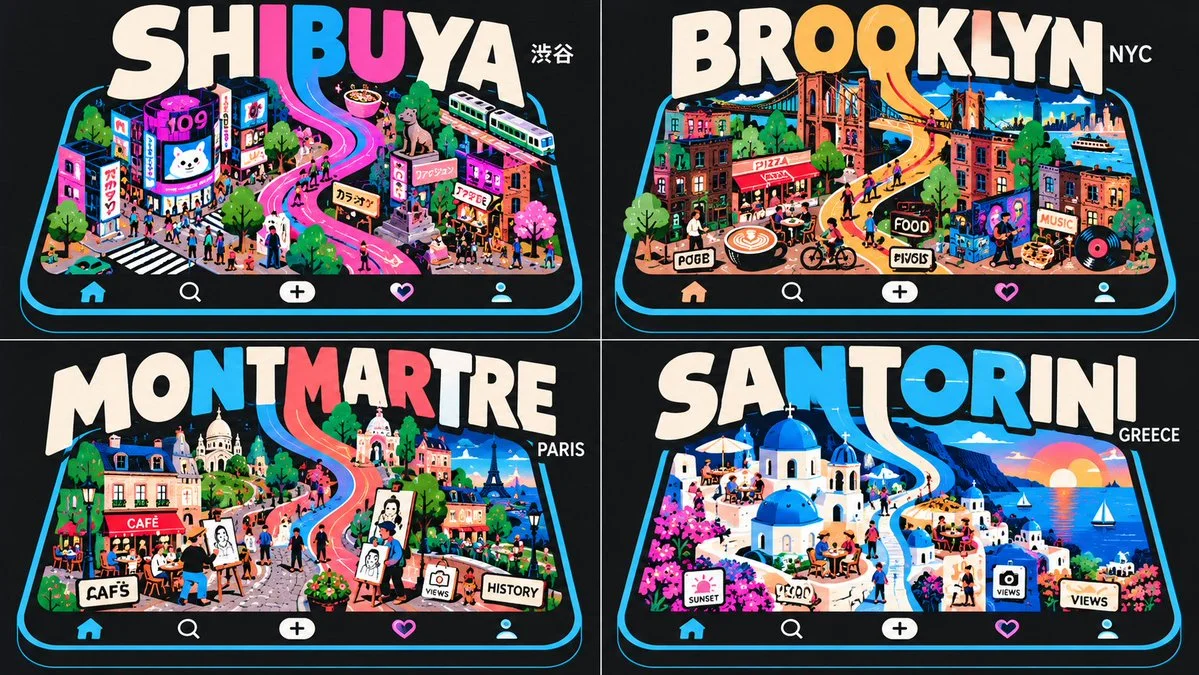
Four App Logos Overlap Devices With Melting Letter Ribbons
A 2x2 grid of digital app logos, each with bold typography melting into a minimalist device screen, surrounded by themed UI icons.
Prompt
Copied. Make it your own here.
Prompt prefilled · Suggested: GPT Image 2.5 Flare · 3 credits/image
2x2 grid, 16:9, do this for 4 famous neighborhoods: class Digital_App_Logo:
    def __init__(self, word="[$WORD]", device="[$DEVICE]", theme="[$THEME]"):
        self.canvas = "Dark mode UI background (# 1A1A1A), flat vector illustration."
        self.palette = "AI infers colors."

    def construct_base_device(self):
        # AI AUTO-INFERENCE: Generate minimalist device outline
        return f"A thick, monoline vector outline of a {self.device} (e.g., smartphone/tablet) in Cyan."

    def typographic_integration(self):
        # The Overlap & Extrusion Logic
        typography = f"Massive, bold sans-serif text spelling '{self.word.upper()}'. It overlaps the top edge of the {self.device}."

        # AI AUTO-INFERENCE: Pick 1-2 letters to melt into the interface
        target_letters = select_middle_glyphs(self.word)
        morphology = f"The descenders (bottom legs) of the letters '{target_letters}' stretch and swoop downward into the screen of the {self.device}, transforming into winding ribbons/pathways."
        return [typography, morphology]

    def populate_ui_icons(self):
        # AI AUTO-INFERENCE: Fetch icons relevant to the app theme
        icons = infer_ui_elements(self.theme) # e.g., hearts, play buttons, audio waveforms
        return f"Surround the winding letter-ribbons with flat vector {icons}. Use solid Magenta and Cyan fills."

render_vector_logo(Digital_App_Logo())
Published: October 29, 2026 by Gadgetify