Image Nano Banana
Electrifying Genius: Tesla Battles Through Chaos
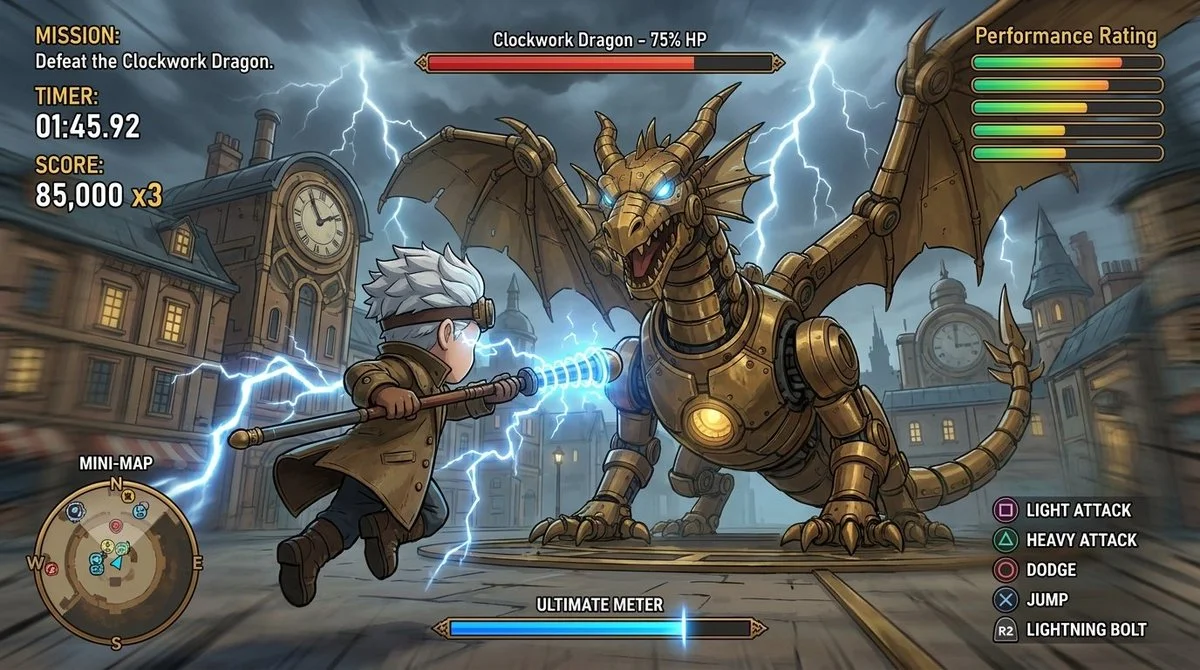
Stylized sci-fi action featuring Tesla as the protagonist, weaving through a chaotic lab environment with sparks flying, energy arcs, and an immersive HUD displaying objectives, radar, and performance stats.
Prompt
insane action game for Nikola Tesla
<instruction>
  1.  Inference Engine
Input A is the core [Subject/Action] (e.g., Chasing a train, Fighting a dragon, Smuggling contraband).
Input B is the optional [Genre] (e.g., Arcade Racing, Action RPG, Cyberpunk Shooter).
Input C is the optional [Style] (e.g., Photorealistic, Cel-shaded Anime, Low-Poly PS1).
 If inputs are missing, synthesize a high-octane scenario (e.g., Sci-Fi Hover-Car Pursuit).
Analyze the inputs to generate   3 Gameplay Assets  :
   The Protagonist (The Player):  Define the central vehicle or character in the foreground.
   (e.g., Racing -> A tuned sports car. RPG -> A knight with a glowing sword).
   The Objective (The Target):  Define the focus of the action in the mid-ground.
   (e.g., Racing -> A rival car or runaway train. RPG -> A towering boss monster).
   The HUD Logic:  Determine the appropriate User Interface for the genre.
   (e.g., Racing -> Speedometer, Lap Times, Mini-map. RPG -> Health/Mana Bars, Quest Log, Spell Hotbar).
2.   Container
Goal: "Fake Video Game Screenshot" Photography.
The Perspective: Third-Person View. The camera is positioned behind and slightly above the "Protagonist" (bottom-center of the screen), looking out into the world.
The Language: All UI text must default to English.
3. The Gameplay Layer (The 3D World):
The Environment: Render the world according to the [Style] input. (e.g., if Photorealistic, include ray-traced puddles and lens flares; if Cel-shaded, use flat colors and ink outlines).
The Action: The scene must feel dynamic. Use environmental motion blur on the edges of the screen, road, or background to imply fast movement or intense action.
4. The UI/HUD Layer (The Interface):
Overlay a complex, highly detailed, crisp 2D Heads-Up Display over the 3D world.
Top Left (The Mission): A text box showing the current Objective, a countdown Timer (e.g., "02:58.47"), and a Score/Combo multiplier.
Top Right (The Status): A series of horizontal progress bars or a 5-star rating system evaluating player performance.
Bottom Left (The Radar): A translucent Mini-map showing top-down topography, the player's icon, and a colored route line pointing to the objective.
Bottom Right (The Inputs): A column of text mapping in-game actions to controller buttons (e.g., "[R2] Accelerate," "[Triangle] Handbrake," or "[X] Attack").
Bottom Center (The Gauge): A horizontal charging bar (e.g., Nitrous Boost, Ultimate Meter).
In-World UI (Diegetic): Floating graphical elements existing inside the 3D world, such as glowing brackets around the "Target," distance markers (e.g., "Target Lock - 23m"), or floating health bars above enemies/rivals.
5. Lighting & Atmosphere:
Lighting: Cinematic game lighting. Strong directional sunlight, neon glows, or dramatic weather effects (rain, fog) to increase the "AAA Game" production value.
Legibility: Ensure a slight drop-shadow or dark gradient behind the white UI text so it remains readable against the busy 3D background.
Output: ONE image, 16:9 Aspect Ratio, "Video Game Screenshot" aesthetic, High UI Density, perfectly matching the requested Style and Genre.
</instruction>
Published: April 27, 2026 by Gadgetify