Image ChatGPT Image 1.5
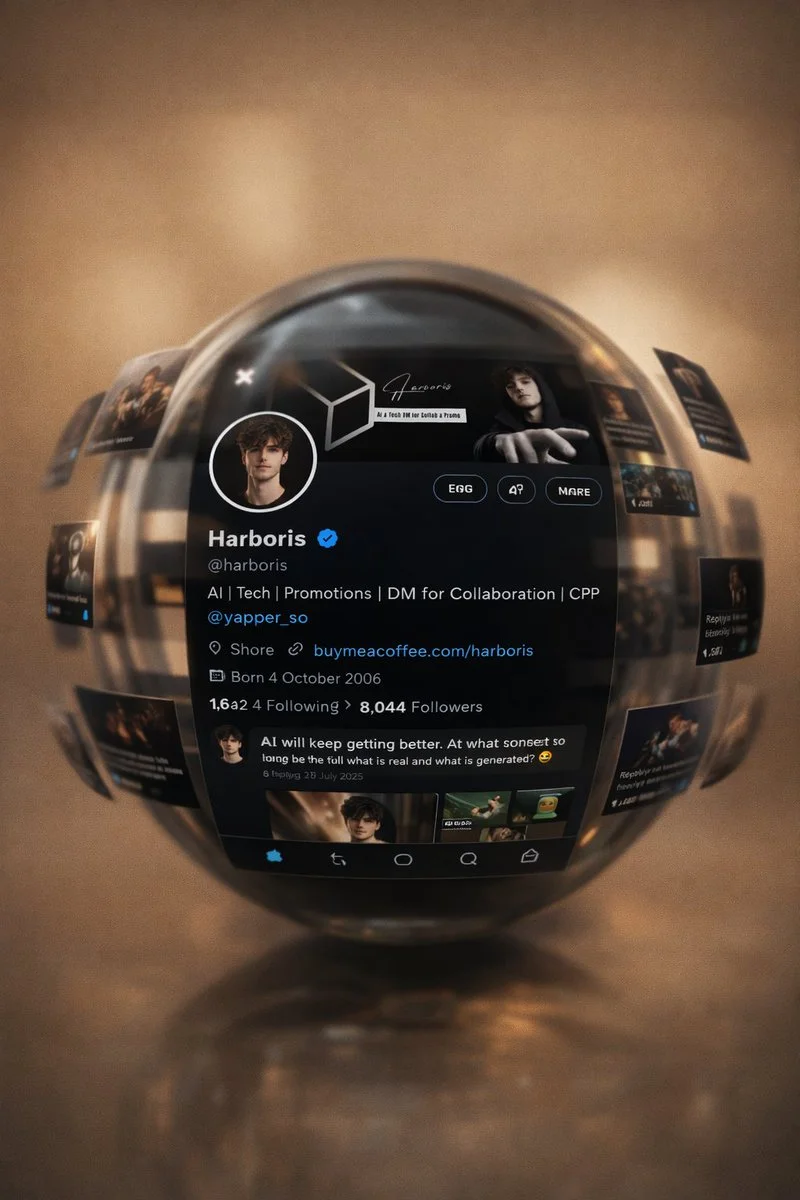
Premium Floating UI Visualization of X Timeline
Your X profile page and tweets are displayed within a floating glass sphere, maintaining exact layout, sharp text, and depth of field, creating a cinematic yet realistic digital showcase.
Prompt
Use the uploaded image as the main reference. DO NOT change the overall composition, lighting, color, or sphere design. Keep the glass sphere, reflections, motion blur around the sphere, warm beige aesthetic, depth of field and floating image layout. ONLY replace the content inside the UI and floating images with my X (Twitter) profile and posts. Must be centered in the same style. Replace the current interface with my X profile page using my uploaded X profile reference. Keep it realistic and highly detailed including profile picture, banner, username, handle, bio, follower/following counts, verified badge if available, and post feed. Make the UI look exactly like a real X app screen with sharp readable text. Follow the floating images around the sphere by replacing them with my tweet cards, media posts, profile moments, and related visuals while maintaining the same layout, motion blur effect, and perspective. Keep all floating panels orbiting around the sphere naturally. Maintain realism with no distortion of UI elements, preserve reflections on the sphere surface, and ensure the interface follows authentic X layout including navigation icons, timeline structure, and dark mode styling if shown in the reference. Branding must stay consistent with my profile identity. Do not use random content, only my uploaded profile details and media. Avoid changing camera angle, aesthetic tone, adding new elements, or distorting UI proportions. Make it look like a premium cinematic UI visualization of my X (Twitter) profile inside a floating glass sphere.
Published: April 20, 2026 by Harboris